

Invoicing software for MAC
onFact is invoicing software in the cloud: you do not need to install anything on your computer. This means onFact works on a Mac, iPad and iPhone, but also on Windows or Android systems. You can try onFact free for 14 days on your Apple device by registering your business below.





Invoicing software for MAC in the cloud
The invoicing software does not need to be installed locally on your MAC: this way you can use onFact in any iOS version and on any type of device. You always have the most recent version at hand thanks to free automatic updates (and backups).
You can easily connect with other applications and services such as online payment options, your bank, accounting software or your own software. Your data is continuously synchronised between all your MAC devices and users.
Strengthen your business with a good invoicing program
onFact is easy to use, without prior knowledge. We don't use difficult financial jargon or a complicated structure. Sending is easy and free: invoices are simply sent by email.
Besides classic PDF invoices, onFact also automatically generates e-invoices. These invoices can easily be read and processed by accounting software and will soon become the norm in invoicing.

Customer database
Save your customers' information in a detailed record and copy the customer details onto invoices or quotes with one click.
Quotes
Easily draw up quotes and have them signed online. In onFact you can convert the quote into an invoice with just one click.
Invoices
Easy to create thanks to the automatic structure and VAT calculation. Numbering, extra information, ... adjust them to suit your business.
Reminders
Keep a close eye on unpaid invoices by creating and sending (automatic) reminders. Spend less time on late payers!
Credit notes
Need to credit an invoice? With just one click onFact converts an invoice into a correct credit note.
Reports
Revenue, costs, profit, customer and product reporting: more than 30 reports give real-time insight into your business operations!
Corporate identity
Choose a template, place your logo on your documents and adjust the colours as you wish. Or program further yourself?
Modules
Free extension modules for the basic package such as order confirmations, delivery notes, stock management and more!
Link with bank
Link onFact to your bank account via CodaBox or Ponto and process payments automatically. onFact immediately shows you whether an invoice has been paid.
Receive online payments
Have your invoices paid online straight away via Bancontact, VISA, MasterCard, PayPal, ... using a secure online payment button.
Link with accountant
Send your documents directly to your file in your accountant's software package.
Connect
Connect your onFact environment with various other programs on the web so they work together efficiently.
Getting started with onFact?
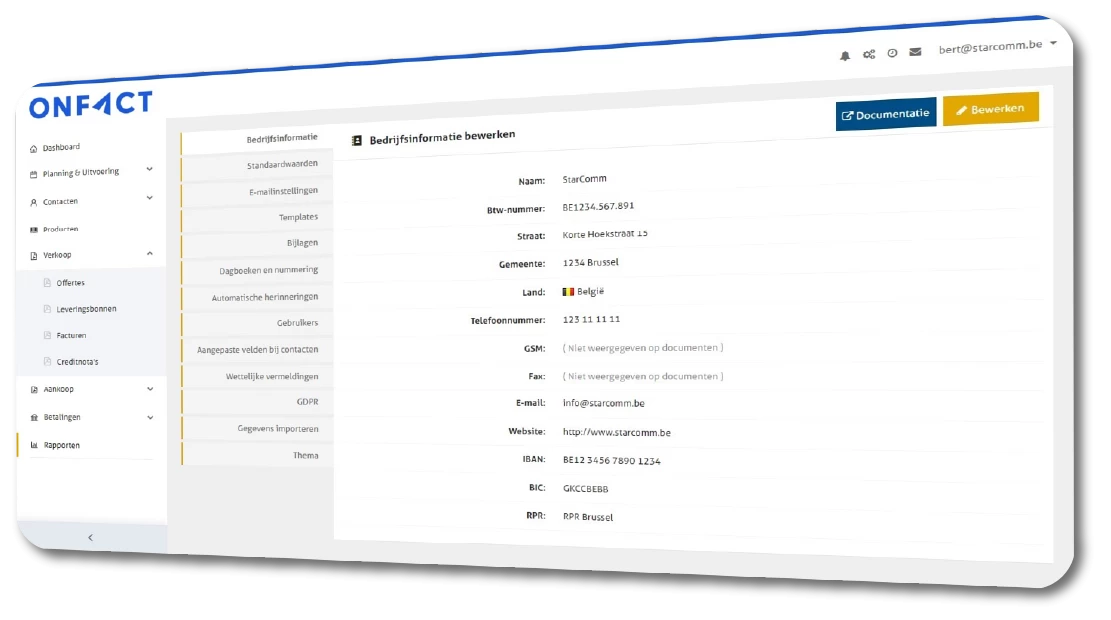
Very easy, free and in just a few clicks
- Create a free account using the button below
- Fill in the details that should appear on your documents (including your company name, address, payment information for your customers, ...)
- Match the document layout to your company's style
- Create your first invoice ...
- ... and try onFact free for 14 days!

 België (NL)
 Deutschland (DE)
 France (FR)
 Nederland (NL)
 Česká republika (CS)